How QR Parking Stickers Work in Residential Societies
See how QrMyCar makes it easy to implement QR parking stickers with society branding, a secure admin portal, and a dedicated security guard app.
More Than Just Stickers.
A Complete Solution.
Society branded QR parking stickers
Secure cloud-based Admin Portal
Security Guard App
Bulk resident and vehicle import assistance
Custom fields configuration
Future software improvements
From Order to Implementation
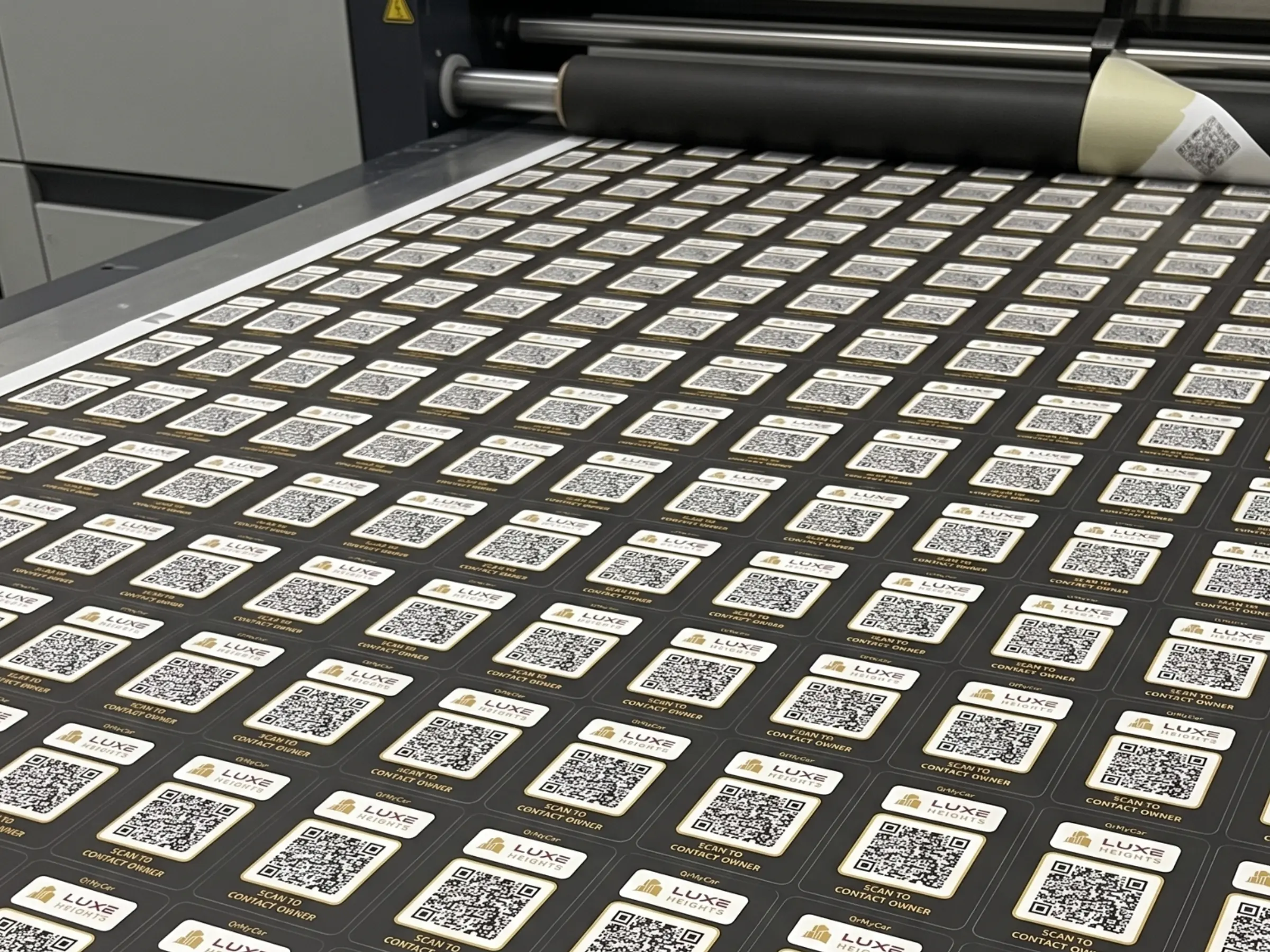
Step 1. Customized QR Stickers Order
Every QR sticker is uniquely generated and printed specifically for your society. Each sticker carries a unique QR code and can later be linked to a resident's vehicle using the Admin Portal.
Sticker Features
- Waterproof vinyl
- UV-resistant printing
- Vehicle-grade adhesive
- Society branding
"Our stickers are designed for outdoor use and everyday exposure to sunlight, water, and dust."
Step 2. Resident & Vehicle Setup
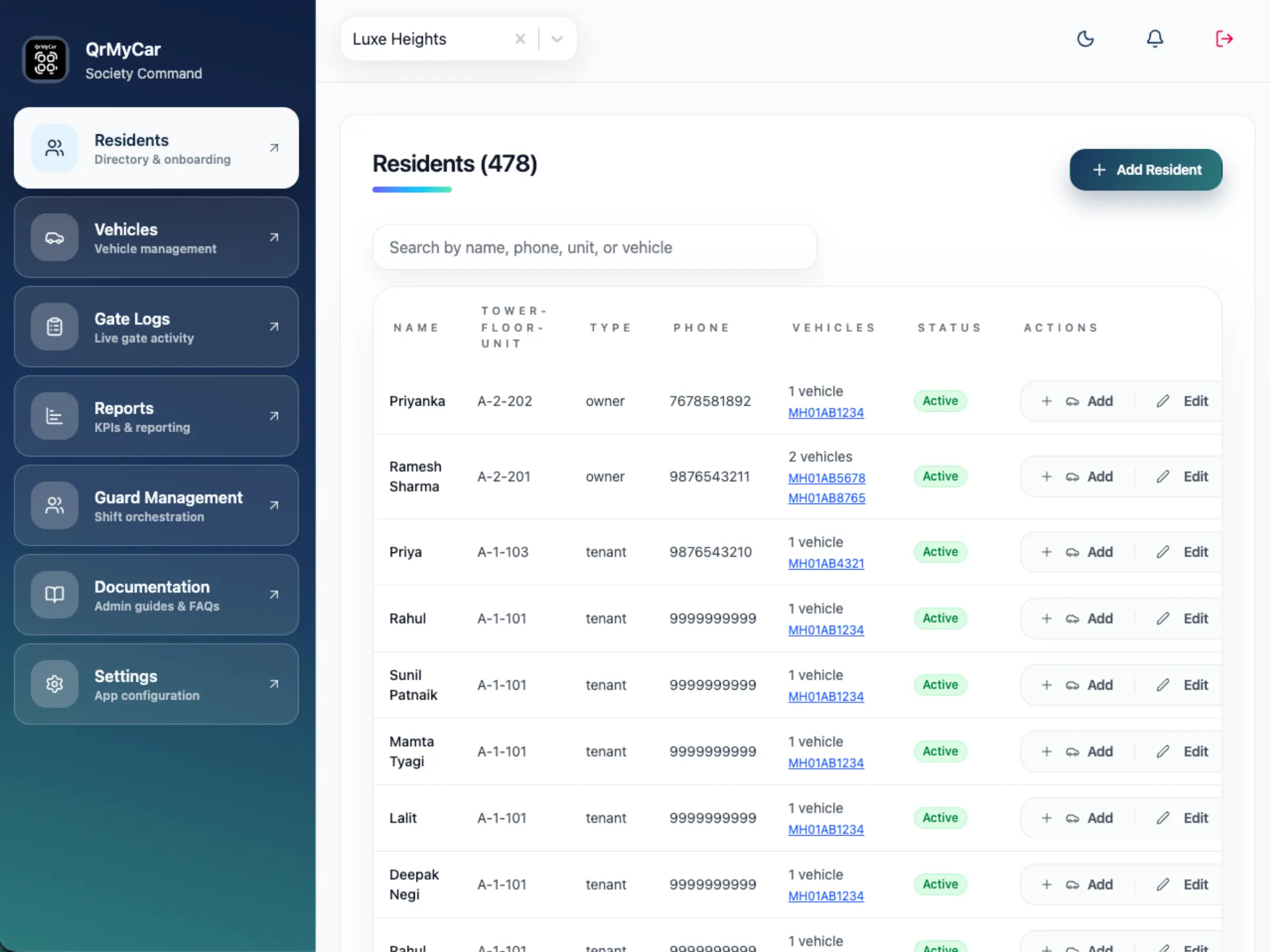
When your stickers are shipped, the next step is setting up residents and vehicles. We've made this incredibly straightforward with two flexible options.
Import Existing Resident Data
Already using NoBrokerHood, MyGate, or another system? Simply share your resident and vehicle data in excel. Our team will process the import and notify you once ready.
Manual Entry
The Admin Portal allows committee members to easily create residents one at a time. When adding a vehicle, simply scan its QR sticker to permanently link it.
Step 3. Security Team Setup
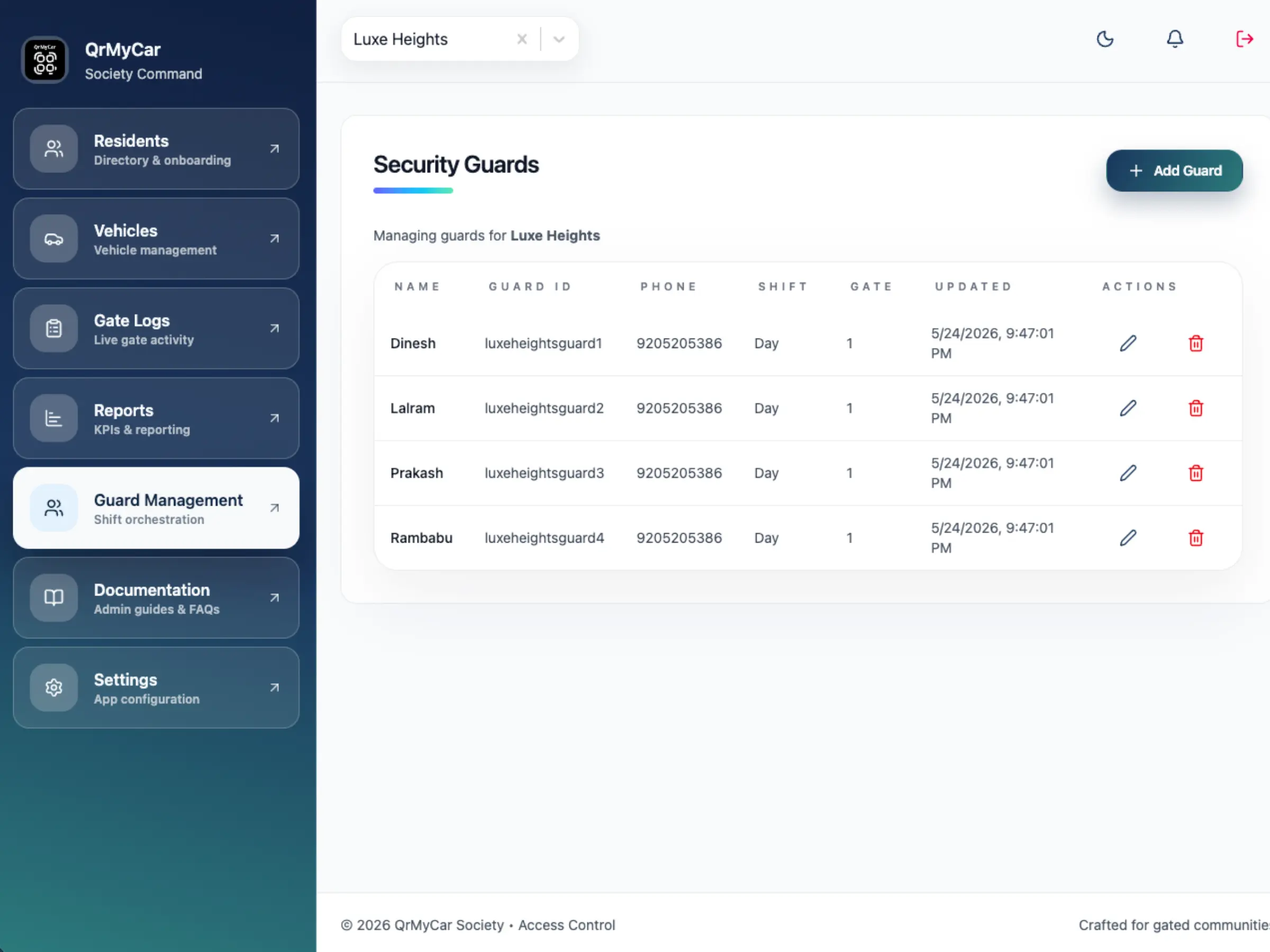
You can create security guard accounts directly from the Admin Portal.
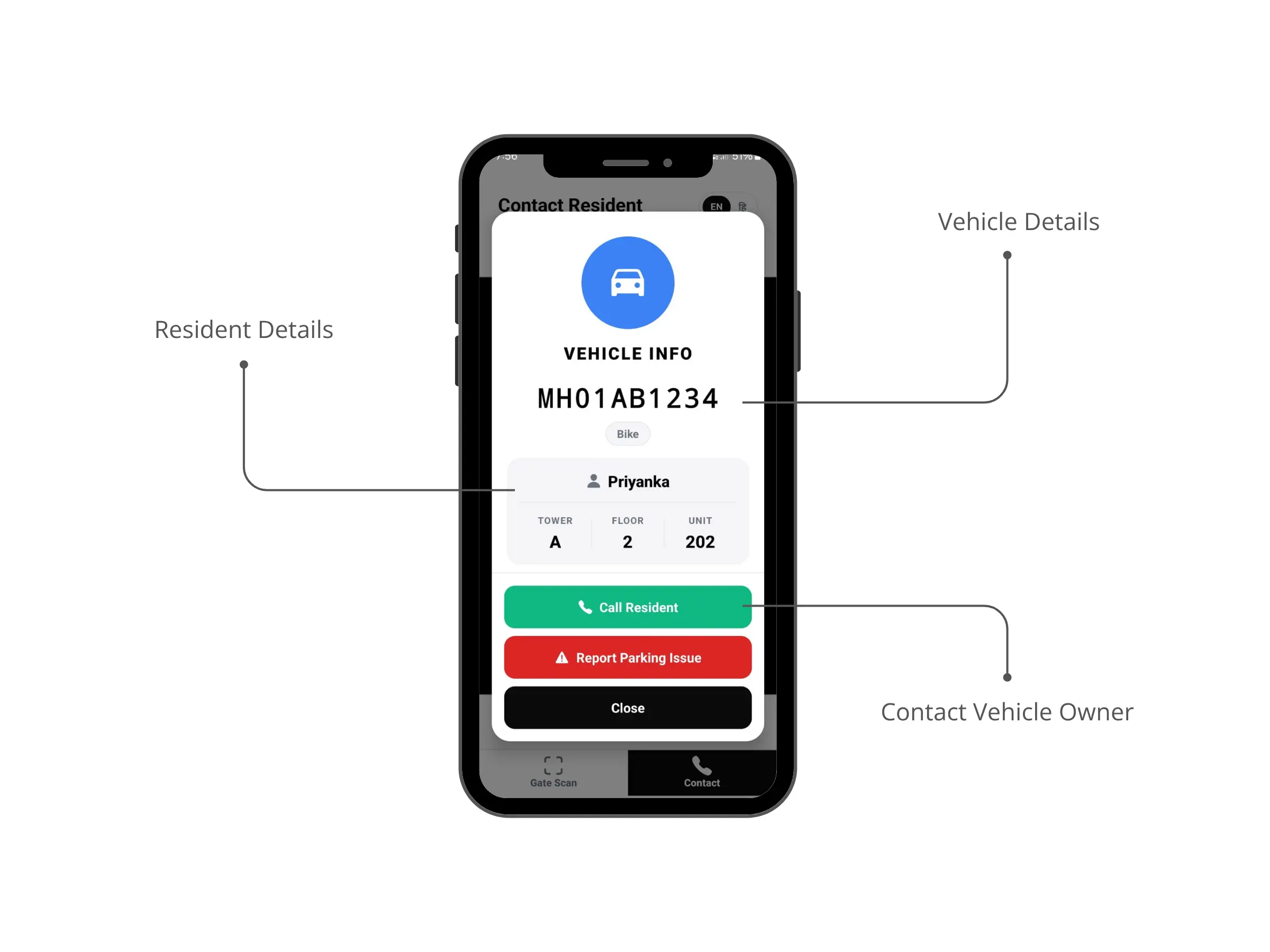
After installing the Guard App (shared separately), security personnel can scan resident QR sticker to instantly view the resident and vehicle information authorized by the society and call owner for parking related issues.
Step 4. Sticker Assignment
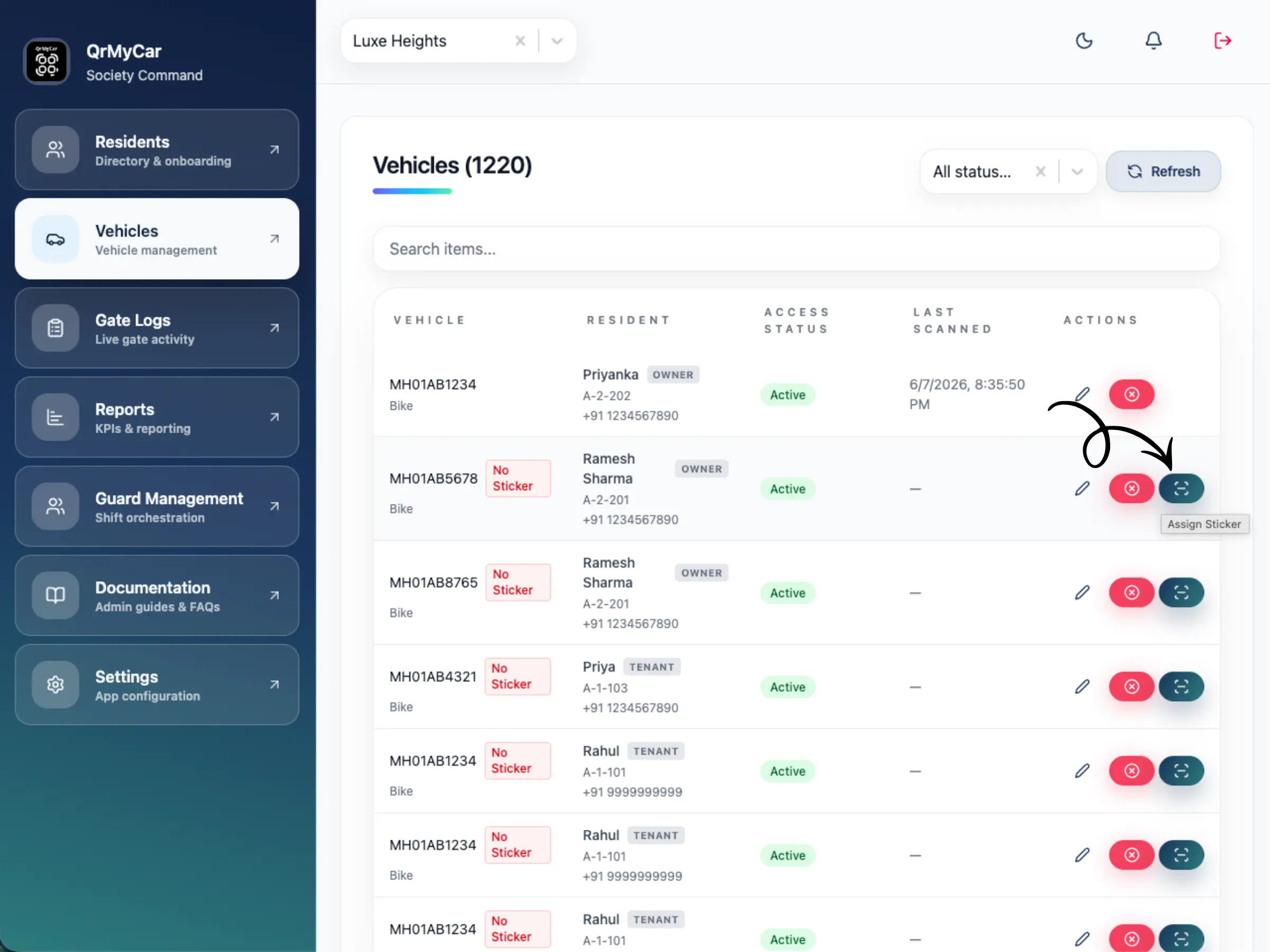
You can assign stickers to resident from Admin Portal using Scan sticker button on Residents vehicle page.
Resident activates their own sticker by scanning it just once. The system automatically populates everything in the form as per the data you entered in the Admin Portal.
Step 5. Everyday Usage
This is where the system becomes incredibly useful for the entire community.
Vehicle Verification
Security staff can quickly identify authorized vehicles and residents simply by society QR sticker at the gate.
Parking Assistance
If a vehicle is blocking another resident, security / resident can scan the sticker to view the owner's details, and tap a button to call the vehicle owner directly.
Built with Privacy in Mind
Resident privacy is an important consideration. QrMyCar is designed so that societies control exactly who sees what information.
Outsiders / Unauthorized
Cannot see any information
Residents & Guards
Can view fields like Name, Flat details, and Phone number.
* Visibility of fields is managed by the Admin in portal settings.
Reliable Software
Managing hundreds of residents should not require complicated software. QrMyCar is hosted securely and includes:
- Encrypted data storage
- Daily automated backups
- Continous security updates
- Separate interfaces for admins, residents, and guards
- Access from desktop, tablet, or mobile
Simple Onboarding
You won't be left figuring things out on your own. Our dedicated support ensures your rollout is smooth.
- Bulk data import assistance
- WhatsApp support
- Email support
- Phone support
Trusted by Residential Communities
"Successfully deployed across residential communities in Pune, Bengaluru and the NCR region, including projects managing over 2,500 vehicles."
Ready to Modernize Your Society's Parking?
Whether you're managing a 100-vehicle apartment or a large residential community, QrMyCar makes implementation straightforward with long-lasting QR stickers, secure software, and guided onboarding.